
New Release: Editing and deleting ticket functionality and notifications (Duration: 2 mins) - 9th Dec
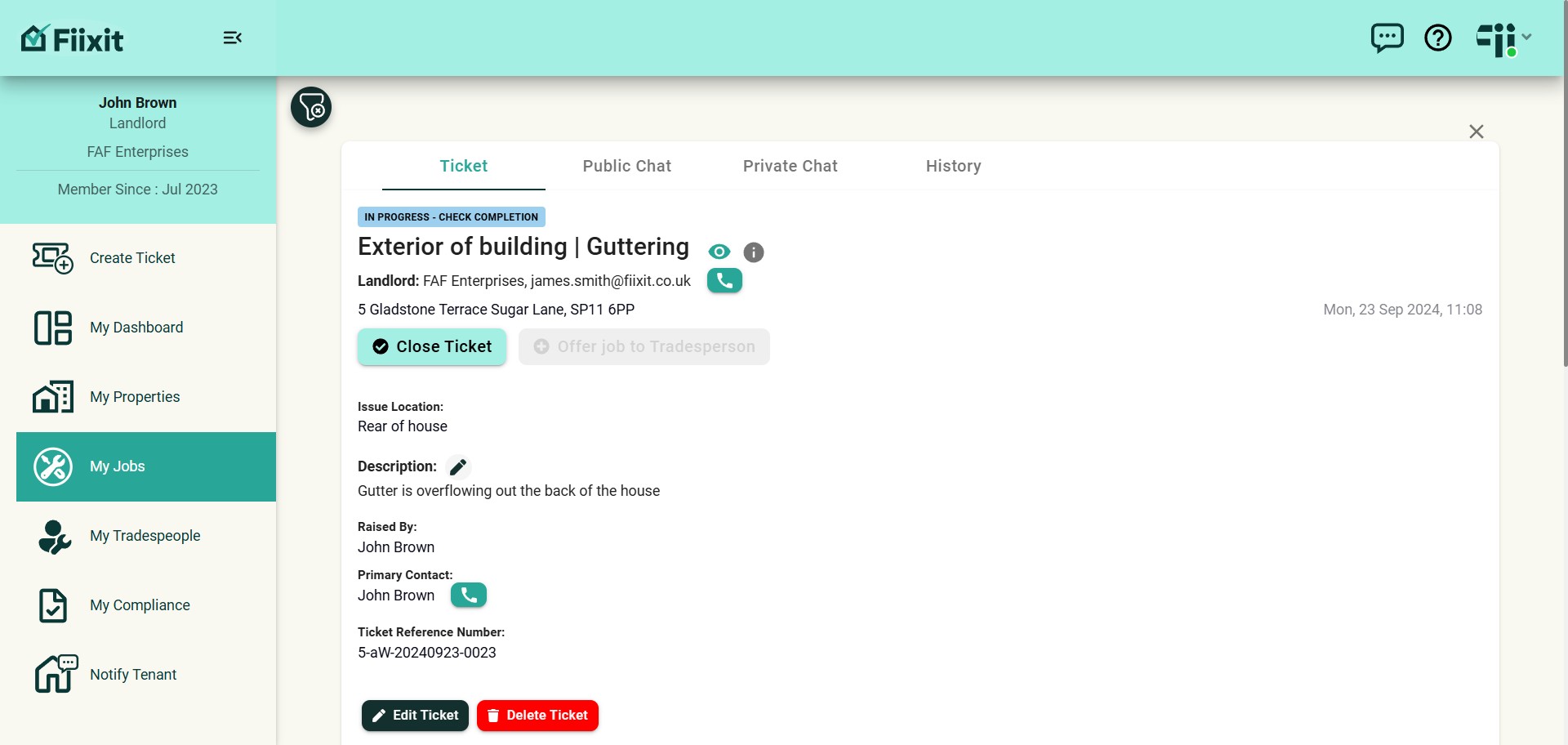
Landlords can now edit job categories, subcategories, locations and delete tickets raised by themselves. Stay informed with Fiixit! All users now receive notifications in My Messages for updates and key platform info
 0
0Frequently Asked Questions
- How do I edit the description of a ticket?
You can edit the description of a ticket by clicking on the pencil icon next to the description. This will highlight the description box, allowing you to enter any additional information you need to add. Remember to click 'Submit' once you've made your changes.
- What happens when I edit a ticket?
Once you edit a ticket, the changes will be reflected in the ticket's description, and the Activity feed and history log will be updated to track the changes. This ensures everyone can see what changes were made and when.
- Can I delete a ticket if I made a mistake?
Yes, you can delete a ticket if it was created in error or if you have a duplicate ticket. Just look for the 'Delete' option on the ticket and follow the prompts to confirm the deletion. This helps ensure your ticket list is accurate and up-to-date.
- Will I get notified about changes to my account and the Fiixit platform?
Yes, you will receive notifications about any changes to the platform. These notifications will be delivered to your My Messages section within the Fiixit platform, keeping you informed of all the latest updates.