
New Release: New Menu Structure and New Roles (Duration: 2mins) 1st Dec
Overview of the latest release, detailing the redesigned menu structure and the introduction of new roles, with guidance on how to navigate and use the updated interface.
 0
0Frequently Asked Questions
- How do I change my account role and where will it appear?
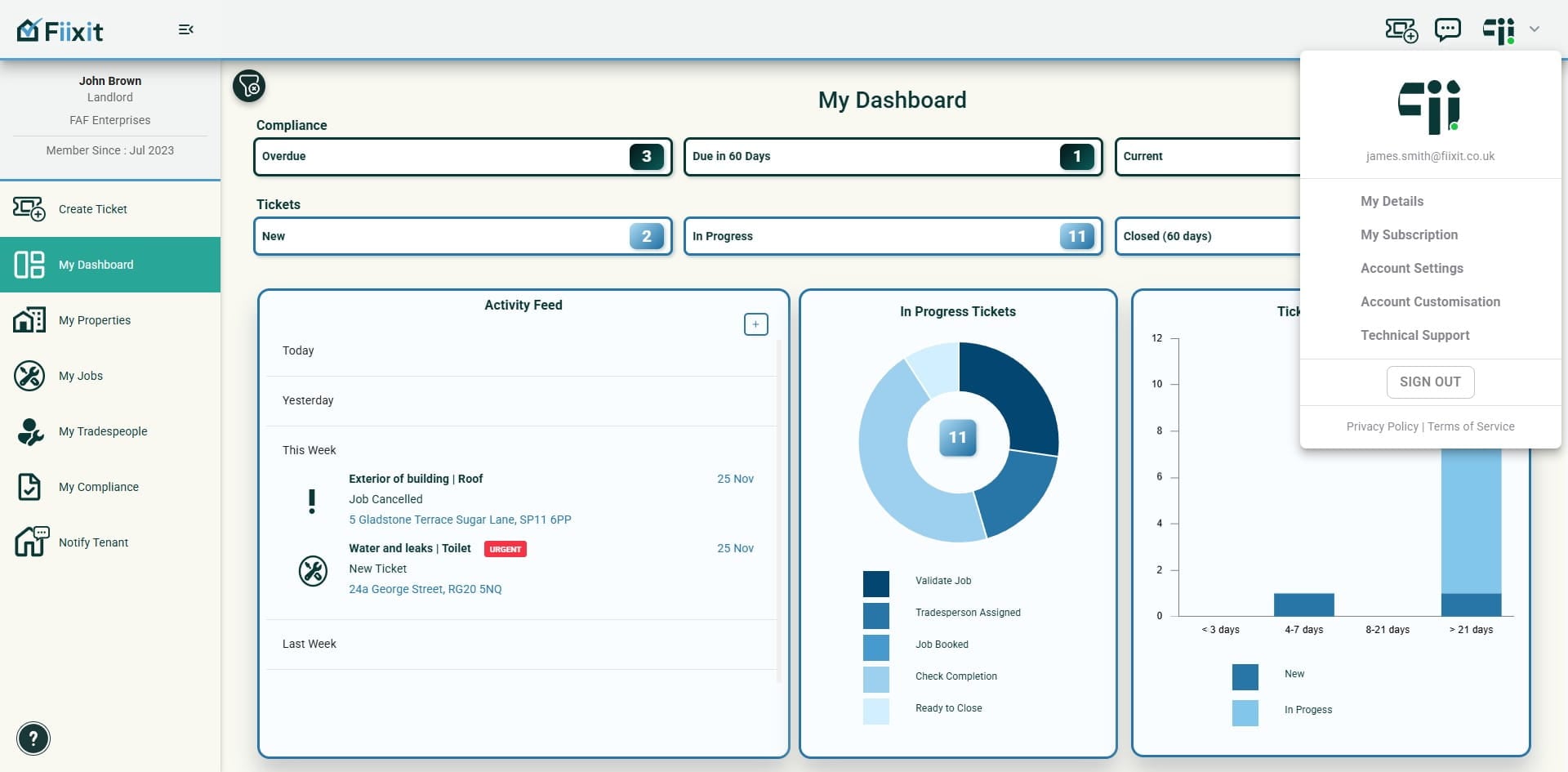
Under My Details, Account Holders can select and change their role in My Details. Your updated role will appear on dashboards, job sheets and in emails sent to tenants and trades.
- Where do I manage Admin Users now?
Managing your Admin Users is now accessed under Account Settings. Account Settings has three active sections: contact details (unchanged), Account White Labelling (unchanged), and Managing your Admin Users.
- Have subscription, contact details or white labelling settings changed with this release?
No. My Subscription details are unchanged. Contact details and Account White Labelling are also unchanged in this release.
- What new customization and workflow features are included?
Account Customisation now includes Ticketing, which lets you define your photo and media attachment process. In addition, you can use Tags to add property tags and then filter your dashboard to focus on those tagged properties. You can add Property Owners to enable workflows (send owners the ticket, assign them the job in the trade workflow, and handle upcoming quote/job approvals). You can also create and attach checklists to jobs to document any required sign-offs before closing tickets.