
Your guide to My Compliance - (Duration: 3 mins)
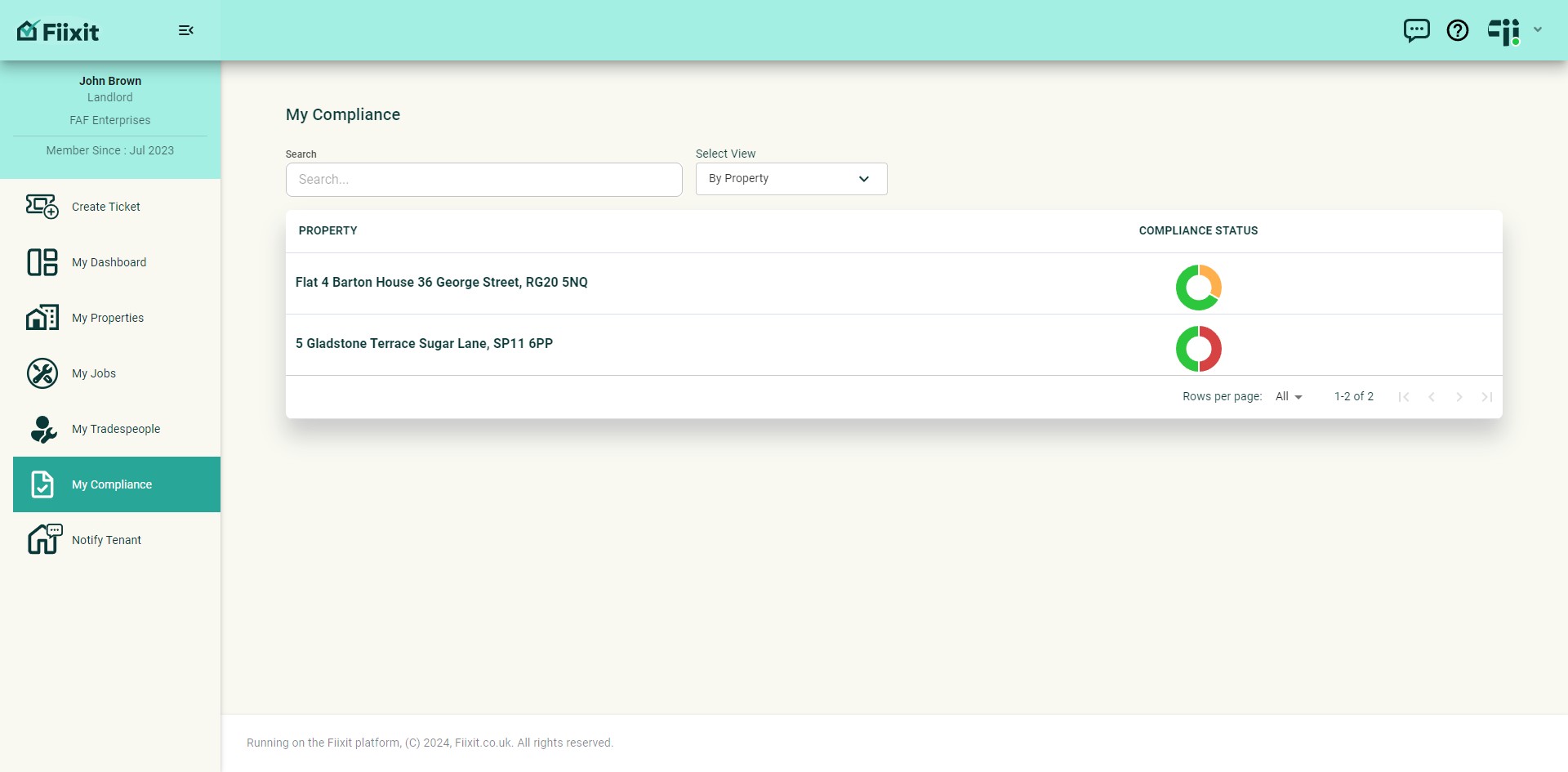
The compliance section ensures you stay on track with your property regulation requirements. Easily check warranties, integrate compliance with repair requests, share requirements with tradespeople, and monitor your status through the dashboard and reminders. Coming soon, my compliance will fully integrate with the ticket repair requests.
 0
0Frequently Asked Questions
- What if I can't see the My Compliance section?
The My Compliance section is only visible to landlords. If you are a tenant or do not have access, you will not be able to see this section.
- How do I make sure my compliance records count towards my dashboard metrics?
Ensure that the loaded compliance records have a green status symbol. If the symbol is a cross, it means the record will not be included in your dashboard calculations.
- What happens if I need to edit or delete a compliance record?
Don't worry, you can easily edit or delete a compliance record after you've added it. Simply select the record from the list and choose "Edit Record" to make changes.
- How do I keep track of past compliance records?
You can archive a record when you load a new version. This helps you maintain a history of changes and easily access past compliance information.