
New Release: Ticket workflow updates and My Properties/Tenant status summaries (Duration: 3 mins) - 14th Oct
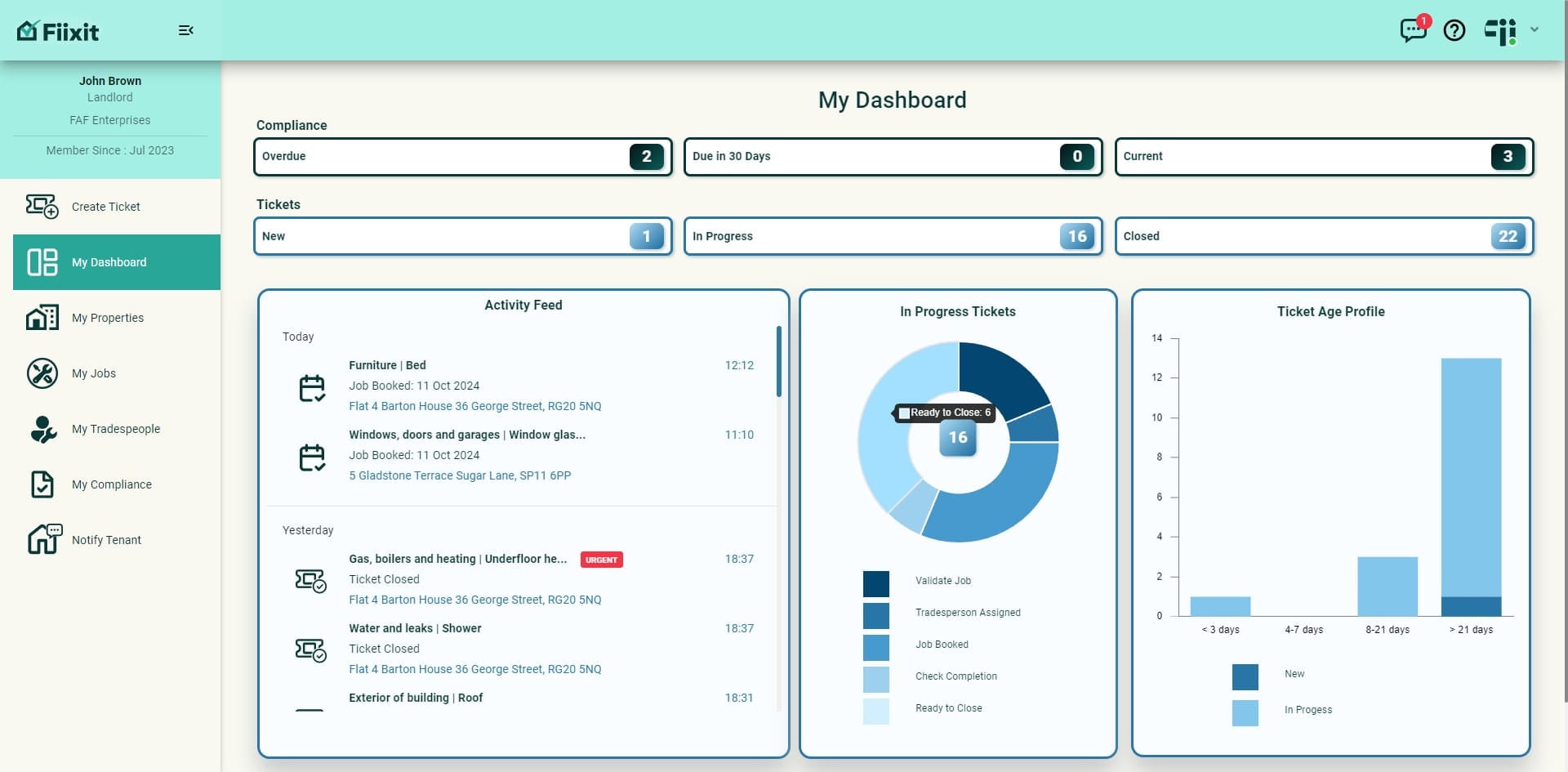
A 5th In Progress category has been added for the landlord to differentiate between Check Completion, jobs that have passed their booked date but not yet marked complete and Ready to Close jobs that have been marked complete. Tradespeople now see jobs they have marked complete moved to their closed ticket list. Add in some useful summaries for the landlord and extra power enabling them to mark jobs complete, scroll history in My Jobs and that's a rap for this release!
 0
0Frequently Asked Questions
- How do I see tickets that are ready to be closed?
Click on "Ready to close" from the "In progress" wheel. This will show you the jobs that have been marked complete by the landlord, property liaison, or primary contact.
- What happens to a tradesperson's completed job?
Once a tradesperson marks a job complete, it moves to their closed list. The status of the job will then change as the landlord closes the ticket.
- What are the different categories of in progress tickets for tradespeople?
There are two categories: "Job booked" for jobs with upcoming dates, and "Check completion" for jobs with elapsed dates. Click directly from the wheel to view each data set.
- How do I see a summary of tenant activity across all my properties?
In "My Properties", you'll find a tenant status summary. This provides information on how many tenants have been invited and how many have created accounts.
- What is the purpose of the "scroll history" feature?
The new scroll history feature allows you to return to the exact point in "My Jobs" where you left off after viewing a ticket.