
New Release: My Messages, Ticket chat and CSV options (Duration: 3 mins) - 9th Sep
This release introduces a new feature, My Messages, ensuring users never miss important messages shared on their tickets. It enhances ticket chat with a direct private chat option between landlords and tradespeople, and also improves the information included in the My Jobs CSV export.
 0
0Frequently Asked Questions
- How do I access the new "My Messages" inbox?
The "My Messages" inbox can be found in the toolbar. It will display all new activity on tickets, arranged by date and ticket, with each message tagged as either "Private" or "Public" to indicate its origin.
- What are the differences between the Public and Private chat features on a ticket?
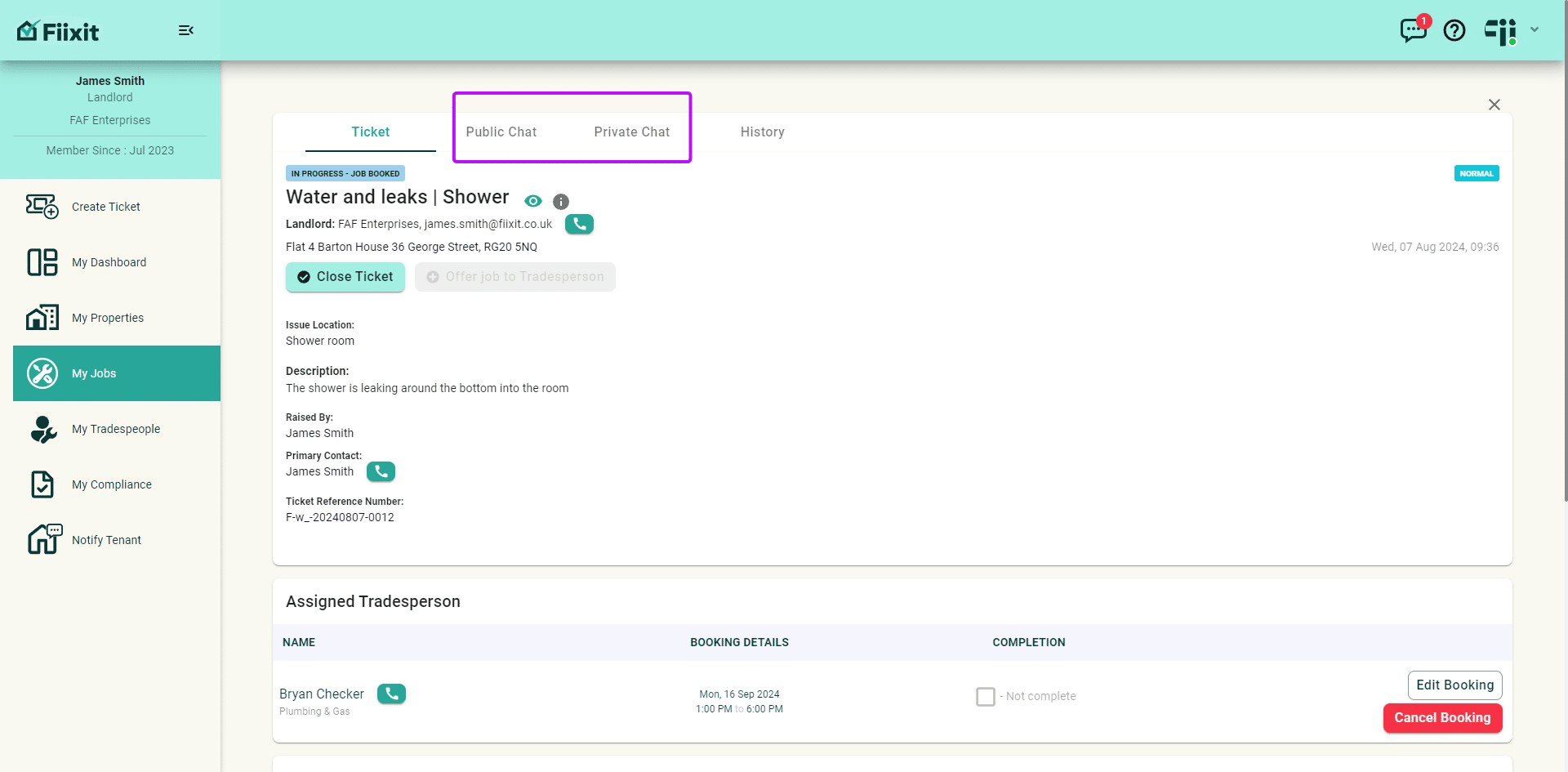
The Public chat is visible to all parties involved in the ticket, while the Private chat is for direct communication between the landlord and tradesperson. Both offer rich text options and allow users to edit or delete their comments.
- How do I respond to a message without navigating to the ticket itself?
When viewing a message in the "My Messages" inbox, you can click on the message on the right to open a dialogue box allowing you to respond directly without going to the ticket. The response will be sent to the correct chat tab and will trigger a "My Message" alert for the relevant parties.
- What are the new options available for the "Export CSV" feature?
The "Export CSV" feature now includes the ability to export "My Jobs" data. You can sort the report by "Date raised", "Date booked", or "Date closed" to customize your export.
- What if I encounter issues with the new chat features or "My Messages" inbox?
If you experience any difficulties with the new chat features or "My Messages" inbox, you can try refreshing your browser or clearing your cache. If the issue persists, please contact our support team for assistance.