
New Release: Property Owners (Duration: 3 mins) - 23rd Oct
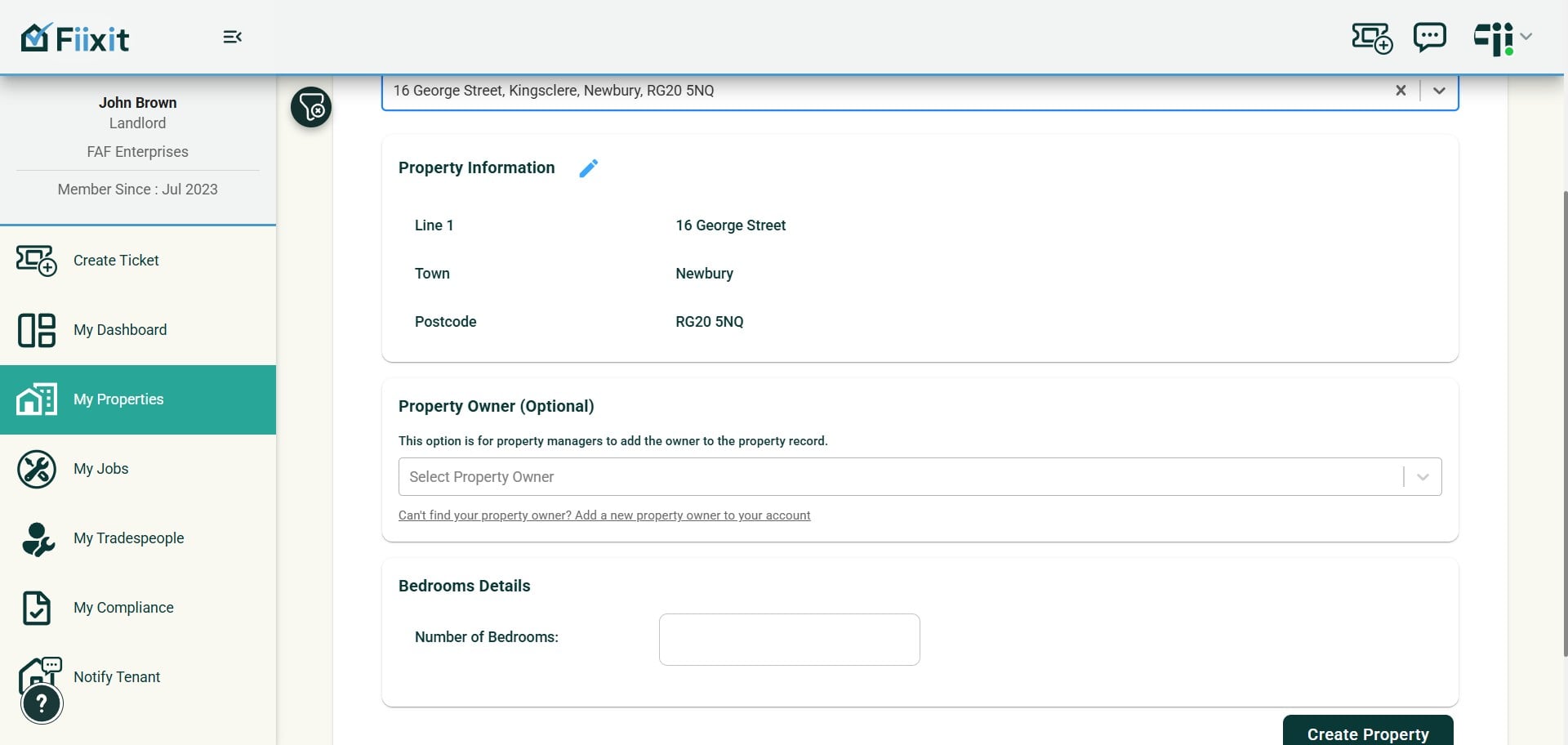
Stand out from competitors by showing how you manage customer repairs. Account holders can now add Property Owners to properties, enabling quick email updates and, if owners handle their own repairs, seamless job assignment through Fiixit.
 0
0Frequently Asked Questions
- How do I add a Property Owner when creating or managing a property?
When adding a property you can optionally add the Property Owner if you manage it on their behalf. If the owner isn’t already in the system, open your personal menu, select “Create Property Owner,” enter the Property Owner’s details, then choose which properties to link them to.
- Where can I view a Property Owner and all their linked properties?
You can view each Property Owner and all their linked properties in one place. The My Properties view also shows attached Property Owners both in the property summary and in individual property details.
- How do ticket emails to Property Owners work and can I copy myself?
For properties that have an owner linked, tickets include the option to email ticket details to the Property Owner. You can copy your account holder on that email and add a custom message before sending.
- Can I assign a Property Owner to a job and what notifications will they receive?
Yes — when assigning a trade to do the job, the Property Owner appears as an assignable option. They will receive email notifications about the assignment, and the activity will appear on your account dashboard. After liaising with the owner you can book a date and time so tenants know when the owner will visit.
- When can I mark a job complete and how does the activity feed show updates?
The “Mark Job Complete” option is now available as soon as the job is booked. The activity feed minimise feed has been fixed so you can choose whether to see only the last activity for each job or to view all activity for each job.
- Does the Property Owner have access to the dashboard?
No, the property owner does not have a log in. You will push automatic emails to the owner with relevant information. You can then continue any dialogue with them offline. Future releases will add more possible interactions with the owner, such as sharing compliance, or requesting approvals for jobs to proceed. Look out for those!