
Your guide to My Dashboard and Account Settings - (Duration: 4 mins)
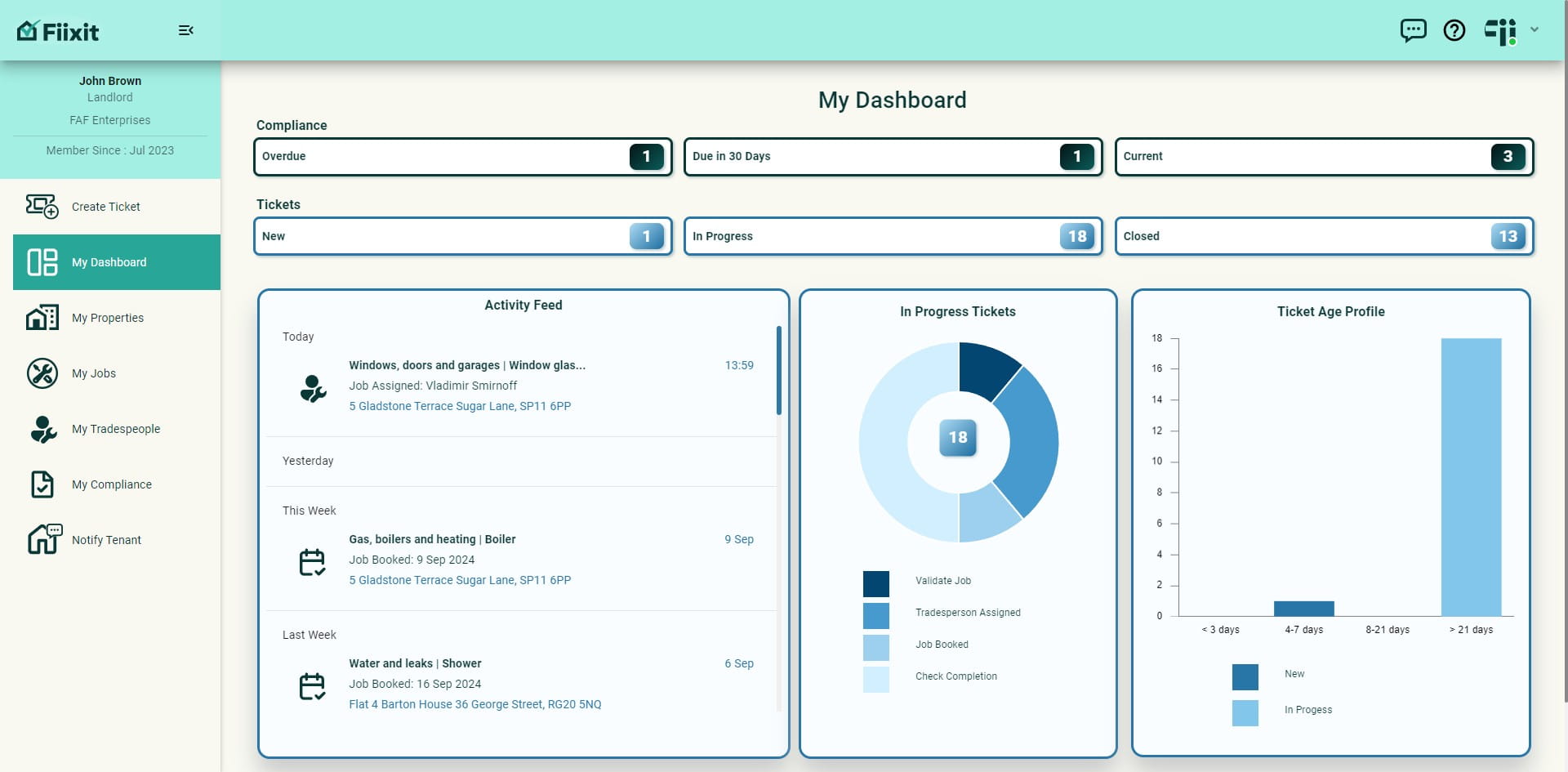
My Dashboard is your control center, providing full oversight and management of repairs and compliance across your property portfolio. Access everything via the interactive dashboard or menu system. Tenants and tradespeople have simplified dashboard views for tracking relevant jobs and progress. It’s more than a list—it's your landlord superpower!
 0
0Frequently Asked Questions
- How can I see a summary of all my repair and maintenance tickets in one place?
The 'My Dashboard' provides a consolidated view of your tickets across your entire property portfolio. It allows you to easily track the progress of jobs from start to completion.
- What happens when I click on the 'New', 'In Progress', or 'Closed' buttons?
These buttons act as filters for your 'My Jobs' data. For example, selecting 'New' will take you directly to the list of tickets that are currently in the 'New' status.
- How do I access information about older tickets that may require attention?
The 'Ticket Age Profile' section on the dashboard offers a snapshot of your new and in-progress tickets, highlighting those that are older than 21 days. Clicking the bar chart will filter 'My Jobs' to display these older tickets.
- What does the 'Compliance Overview' section of the dashboard show me?
The 'Compliance Overview' provides quick access to important property documents like certificates, warranties, and assets. It also highlights any overdue items, allowing you to take corrective action promptly.
- How do I manage my account settings and preferences?
Click on the account settings icon in the top right corner of the dashboard. This will take you to a page where you can update your profile picture, contact information, notification preferences, and other settings.