
Trades: Your guide to Fiixit - (Duration: 4 mins)
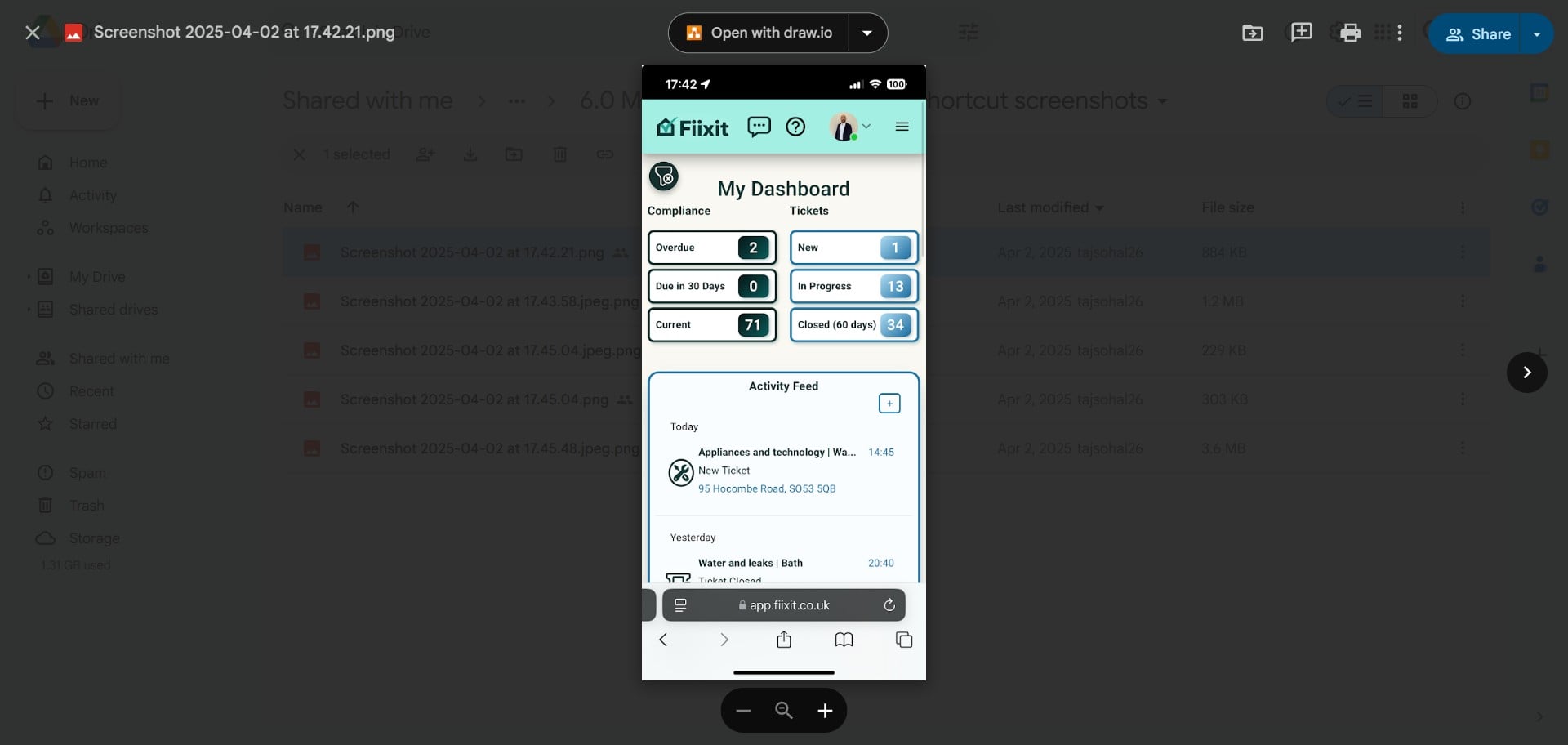
Receive jobs in Fiixit and manage them easily through your dashboard on a mobile device. View the tickets and repair details, contact landlords or tenants, book jobs, and mark them complete—all with simple, efficient navigation.
 0
0Frequently Asked Questions
- How do I access and manage my assigned tickets?
You can access and manage your assigned tickets from your 'My Dashboard'. This dashboard is fully interactive, so you can click on the ticket tiles, activity feed, or charts to view and interact with your assigned tickets.
- How can I filter my list of jobs?
You can filter your list of jobs in 'My Jobs' by status, property, or landlord. This allows you to easily find the specific jobs you're looking for.
- What types of messages can I send through a ticket?
You can use the 'Public chat' feature to send messages to both the landlord and tenants, or the 'Private chat' feature to send messages directly to the landlord. You can also book the job through the ticket, which will notify all parties involved.
- Where can I see messages from landlords and tenants?
All messages from landlords and tenants left on tickets will appear in 'My Messages'. This ensures you won't miss any important updates.
- How can I get help with technical issues related to Fiixit?
You can request help for technical issues related to Fiixit through the 'Support' section in the 'Help' menu. This will connect you with Fiixit's support team.