
New Release: Property tagging and application filters. Property bedrooms capture and ticket category updates (Duration: 4 mins) - 14th Nov
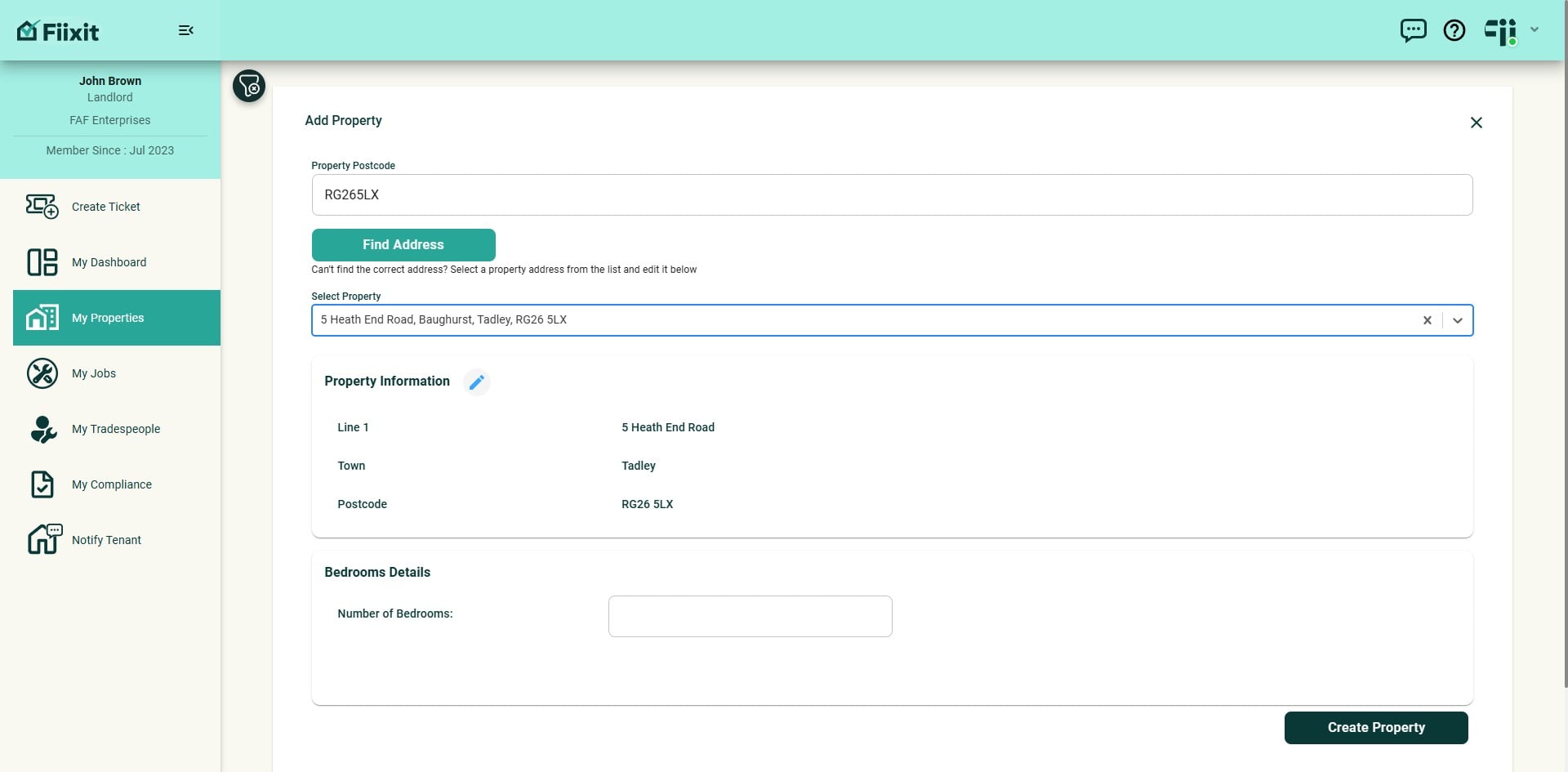
The creation of user defined property tags allows a user to filter their dashboard by custom categories. The added bedroom details in the property records now flow directly to ticket creation locations, streamlining repair location identification. Ticket categories have also been updated based on user feedback.
 0
0Frequently Asked Questions
- How do I edit the address of a property if the retrieved records are incorrect?
You can edit the address directly by selecting the pencil icon next to the property address. Make the necessary changes to the address line, town, or postcode and click "Update" to save the changes.
- Why is it mandatory to enter the number of bedrooms when setting up a property?
Entering the number of bedrooms is crucial to ensure tenants can accurately report the location of room repairs, improving the efficiency and effectiveness of maintenance requests.
- What are property tags and how can I use them to filter information?
Property tags are custom labels you can create to categorize your properties. You can create up to ten tags and assign them to your properties. Using the filter icon, you can select up to five tags to view information for properties matching all selected criteria, making it easier to manage your properties based on specific criteria.
- Can I edit the tags assigned to a property after I've created them?
Yes, you can edit the tags assigned to a property directly within the property view. Simply navigate to the property details, and you'll find the option to modify the tags.
- How do I know if a filter is applied?
When a filter is applied, the filter icon will turn red, indicating that all menu options - My Properties, My Jobs, My Compliance, and Notify Tenants - will display only filtered records.